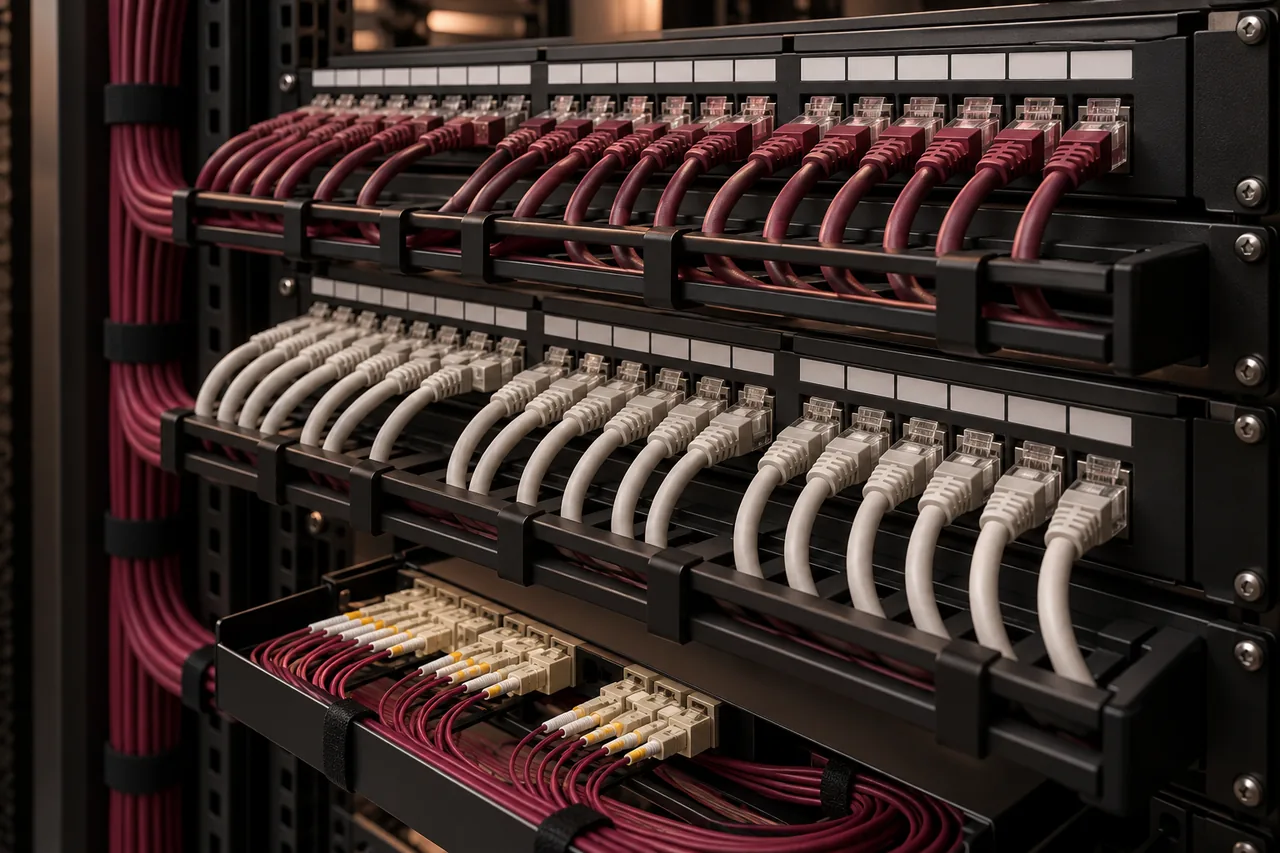
Network documentation and cable labels help a business identify what is connected, where it is located and who owns it. They make fault diagnosis, equipment replacement and office changes more controlled. Without those records, even a simple task can become a search through cables, uncertain switch ports and undocumented settings.
Documentation does not need to be elaborate to be useful. A small office can start with an accurate diagram, an outlet schedule and a controlled device inventory. The important qualities are consistency, accuracy and ownership. A large handover binder that no longer matches the installation is less useful than a short record kept current.
Make physical connections traceable
Label outlets and patch-panel positions with unique identifiers that follow the same scheme. The identifier should allow someone to trace a connection without relying on the employee currently sitting at that desk. Desk names and temporary department locations can change; the physical link needs a stable reference.
Apply labels where they can be read and maintained. Keep both ends consistent with the outlet plan and cable schedule. For important uplinks or fiber connections, identify the source and destination clearly. Do not disconnect an unfamiliar cable merely to discover what it serves unless the interruption is authorized and understood.
Keep a physical and logical topology
A physical diagram shows devices, locations and how links connect them. A logical diagram shows network segments, routing and access boundaries. They answer different questions. An office may use several VLANs through the same switch, so the physical connection alone does not explain which systems can communicate.
Start with internet handoffs, firewall, switches, access points, servers and major links. Add branches or building connections where relevant. Keep drawings readable rather than filling one page with every detail. Our business networking service can be scoped to review topology and handover requirements for an existing environment.
Document addressing and network roles
Record subnets, DHCP scopes, gateways and approved infrastructure addresses. Identify the owner of each network segment and why it exists. This helps prevent address conflicts and reveals when an unexpected router or DHCP server appears. Static settings should be intentional and traceable, not copied from a previous employee’s device.
Include DNS and key service dependencies where relevant. A business application may rely on a local server, cloud identity or a site-to-site link. When those dependencies are visible, support teams can investigate the right path. Avoid collecting data without purpose; record what helps maintain, change or recover the system.
Maintain device and rack records
An inventory should identify device name, model, location, role, support status and ownership. Serial numbers and warranty information may assist support but should be stored in an appropriate business-controlled location. Keep rack elevation or equipment-position records where a site has several cabinets or complex infrastructure.
Use device names that identify the function and location. A switch called only “default” is difficult to discuss across several sites. Record uplinks, PoE requirements and any special port configurations. Photos can supplement these records, especially for remote support, but they should not replace structured schedules.
Retain test and configuration evidence
Cabling test reports should map to link identifiers. That connection makes it possible to distinguish an accepted original installation from a later damaged patch cord or undocumented extension. Read the cabling project checklist for acceptance requirements. Preserve final as-built records, not only the proposed design.
Configuration backups help recover or replace equipment, but they need suitable handling. Record software versions and backup dates, and check that files can be used through the intended recovery process. Sensitive configurations can contain secrets, so access and storage must be controlled rather than placed in a publicly shared folder.
Use documentation during troubleshooting
When a user reports a problem, the outlet identifier and device record can point to the relevant switch and network segment. The diagram helps determine whether other users share the same path. This allows targeted investigation instead of unplugging random connections or restarting every device in the office.
Record findings and corrective actions in the incident history. If a temporary workaround is used, make it visible and give it an owner. Our office network problems guide explains a repeatable fault process. Documentation becomes more useful when support actually uses and updates it, rather than treating it as a one-time deliverable.
Control changes and protect secrets
Define who updates records after a device, port or policy changes. Include documentation in the completion checklist for moves and upgrades. A change is not fully handed over if the network works but the diagram still shows the old route. Version history can help explain what changed and support rollback decisions.
Keep administrative access records separate from general user documentation. Passwords, keys and sensitive internal details need controlled storage and secure handover. The business should retain ownership of accounts and subscriptions. A provider may require authorized access, but support should not depend indefinitely on a former employee’s personal account.
Build a practical handover pack
Agree deliverables at the start of a project or maintenance engagement. They might include diagrams, outlet schedules, rack records, IP plans, test reports and configuration backups. State file formats and who receives them. A useful pack can be updated later, rather than locked into an image that nobody can maintain.
- One readable topology for each relevant site.
- Stable outlet and patch-panel identifiers.
- Device inventory with role and ownership.
- Address plan and key service dependencies.
- Accepted test results and controlled configuration backups.
- Change history and named documentation owner.
For an IT AMC, review these records periodically and after significant changes. Identify missing information early, especially when several contractors share the environment. Good handover allows an authorized future team to maintain the system without reconstructing everything from scratch.
Conclusion: preserve operational knowledge
Labels and records preserve the knowledge required to support a network safely and consistently. Start with a simple accurate baseline, connect physical identifiers to logical records and keep them current through changes. Send FusionCore your existing records through Contact to discuss a documentation or network-improvement scope.
Frequently asked questions
A few practical questions.
Do small offices need a network diagram?
A simple accurate diagram is useful even for a small office. It identifies internet, firewall, switches, access points and critical systems without requiring an elaborate document.
Should passwords be printed in the handover pack?
Sensitive credentials should be handed over securely using controlled storage. Broadly shared diagrams and schedules should not contain passwords or secret keys.